-01.png)

.png)
Simplifying Meta Ads Ad Sizes and Dimensions for Maximum Performance
1. Why do ad dimensions matter?
Many clients and their designers don’t understand why we request for certain dimensions when running Meta Ads because the impact that ad size has is usually underestimated. An experienced marketer will know that the ad size can make or break the ad because it impacts whether the messaging of your ad is visible and hence persuasive. If you can’t see it well, you can’t sell it well.
2. The Top 2 Ad Dimensions You Need: Square & Vertical
When running ads on Meta platforms (Facebook and Instagram), we primarily focus on three ad placements: Feeds, Stories and Reels. These placements provide the best opportunities for engagement with your audience. While Meta offers various ad formats, Feed ads, Stories ads and Reels ads are the three most impactful placements for driving visibility and interaction.
To effectively utilize these placements, it's crucial to understand the two key dimensions you’ll need from your design team: square and vertical. These two ad dimensions are the backbone of successful Meta campaigns, each optimized for specific placements.
- Square (1080 x 1080 pixels) – This dimension is specifically designed for Feed ads, making it the go-to format for both Facebook and Instagram feeds. The square format ensures your ad appears well across both mobile and desktop devices, offering a balanced presentation of your message.
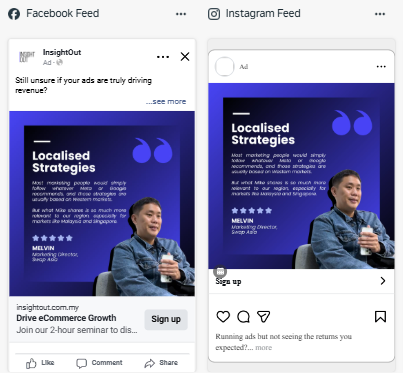
- Vertical (1080 x 1920 pixels) – This dimension is optimized for Instagram and Facebook Stories as well as Reels/ In-stream videos. The vertical format allows your ad to take up the entire screen, delivering an immersive experience for users on mobile devices. It's the preferred size to engage viewers in a full-screen, visually compelling way.
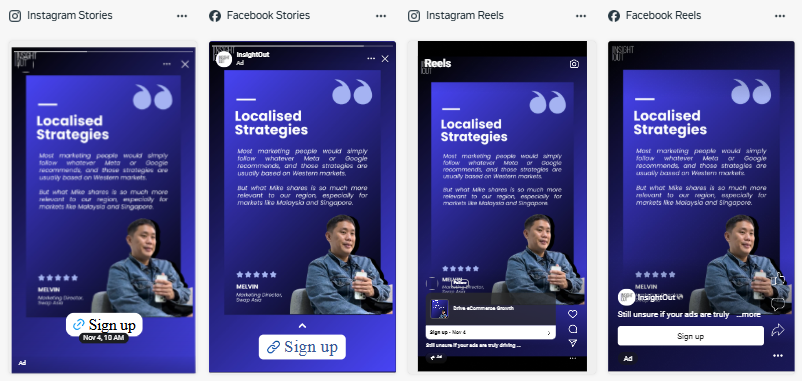
Both dimensions are essential for maximizing your reach and performance across Meta's platforms. You’ll need both square (for Feeds) and vertical (for Stories) versions of your creative to effectively target your audience.
3. Safe Guardrails: No-Go Zones for Vertical Ads
While these two ad dimensions are designed to perform well, it's important to adhere to some basic design safe guardrails to ensure your content looks great and functions correctly on Meta platfor
- Vertical Ads (Stories Placement):
- No-Go Zones:
- Avoid placing text or logos too close to the top and bottom of the image. These areas are often obstructed by Instagram’s interface (like profile icons, "See More" buttons, etc.)
- No-Go Zones:

- For Reels, avoid placing text or logos too close to the right bottom corner where the engagement buttons are overlaying on your images.
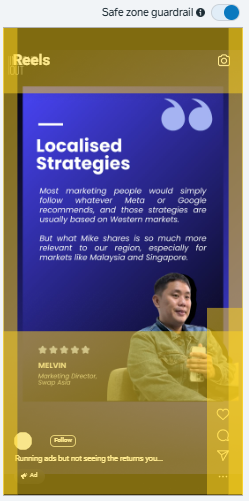
- Ensure that any key visuals or CTAs are positioned within the central area of the screen, well clear of the UI elements that may interfere with the user experience.
- Subtitles or text should be placed not too close to the bottom or top edges, as it may get hidden behind the bottom navigation bar.

By adhering to these safe guardrails, you can avoid common mistakes like having critical content cut off or hidden, ensuring your ad is both visually appealing and effective.
4. Uploading Square & Vertical Dimensions in Meta Ads Manager
Once your creative assets are ready in both square and vertical dimensions, you can easily upload them into separate placement groups in Meta Ads Manager.
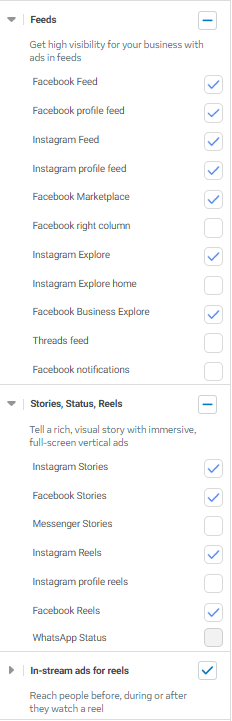
- Selecting the Right Placement Groups at the ad set level
- In Ads Manager, you can either manually select Feeds, Stories and In-stream ads for Reels placements. Contrary to Meta’s recommendation, I recommend using Manual Placement options instead of automatic placements because I want to exclude irrelevant, low engagement placements (like messenger, notifications, WhatsApp status etc.) Manual placements also allow me to have full control over your creative by uploading specific dimensions for each placement.
- At the ads level of ad manager, upload the square dimension under “Media”
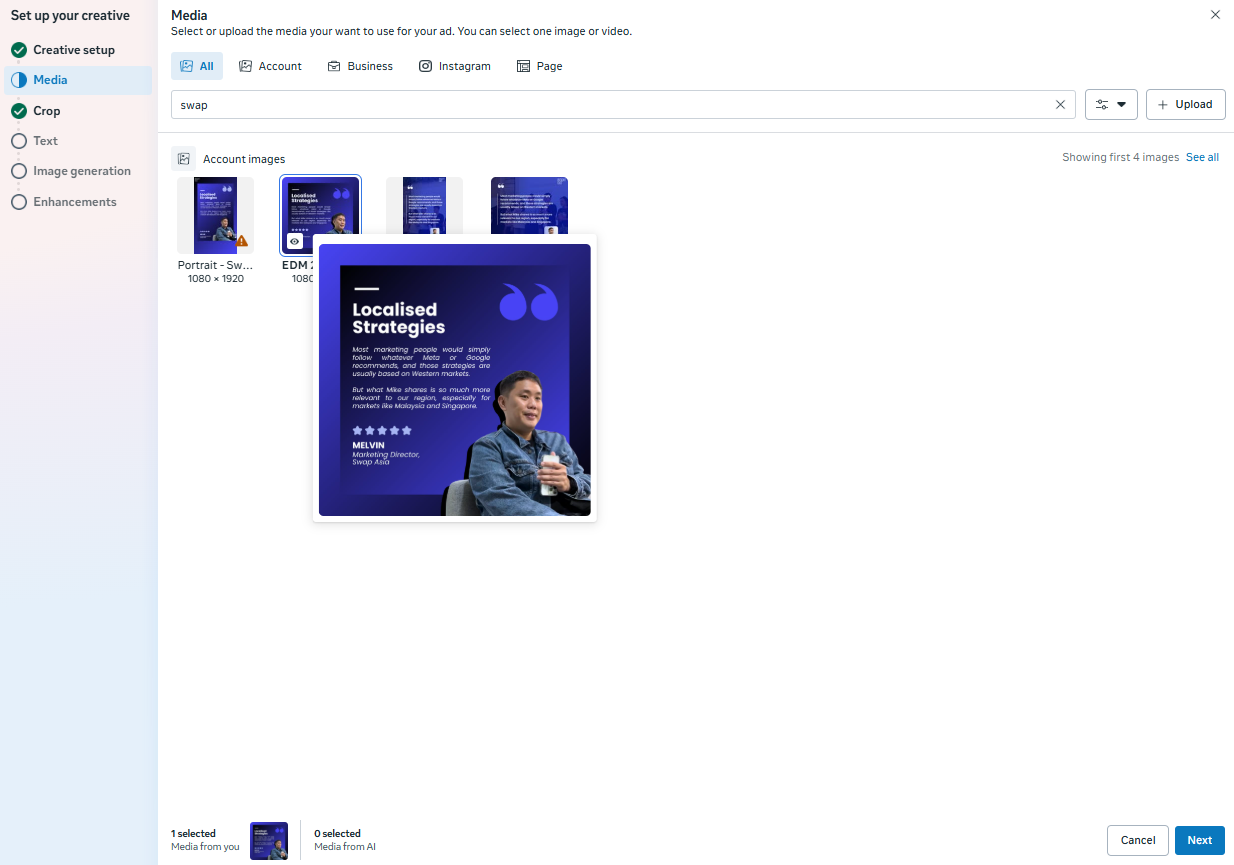
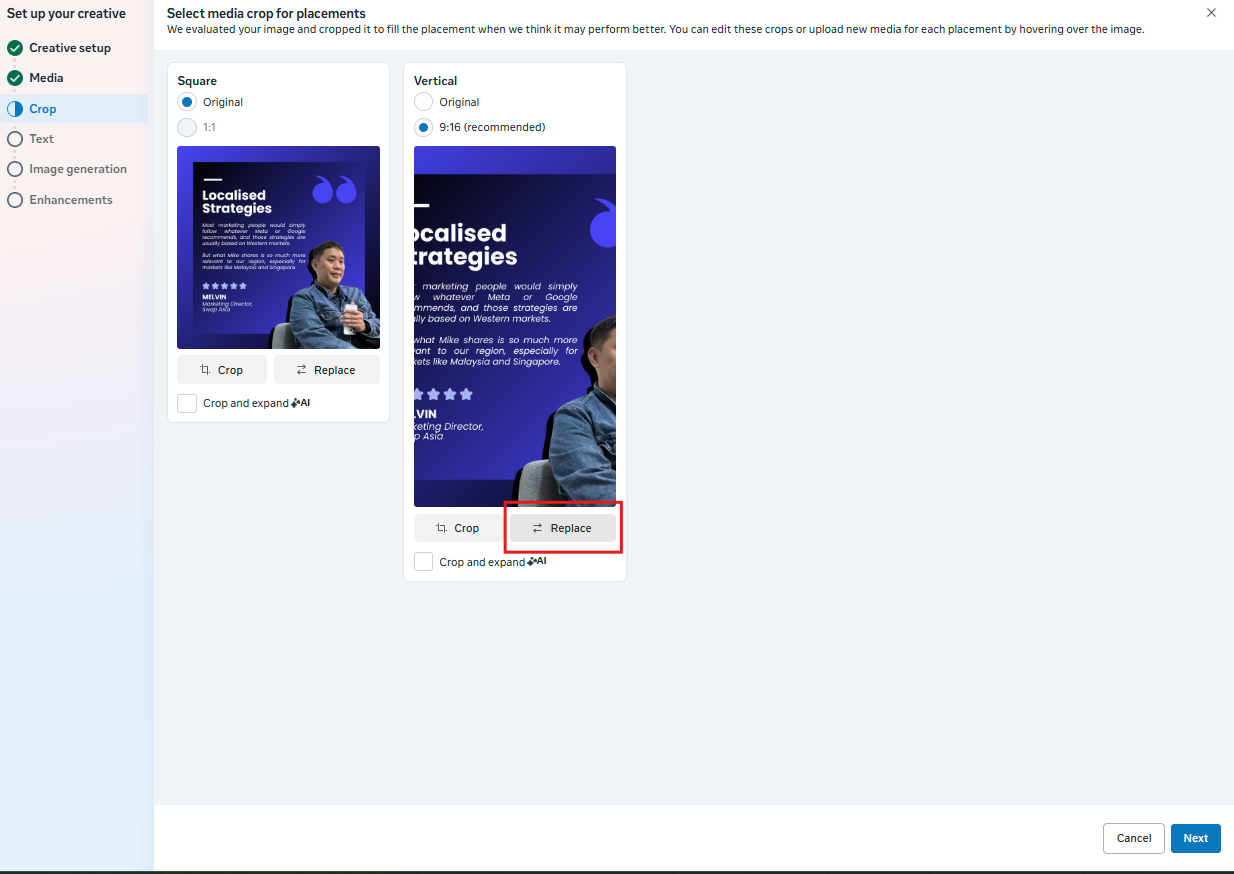
- Customise the placement groups to add in your second vertical dimension under “Crop”
- Click “replace”
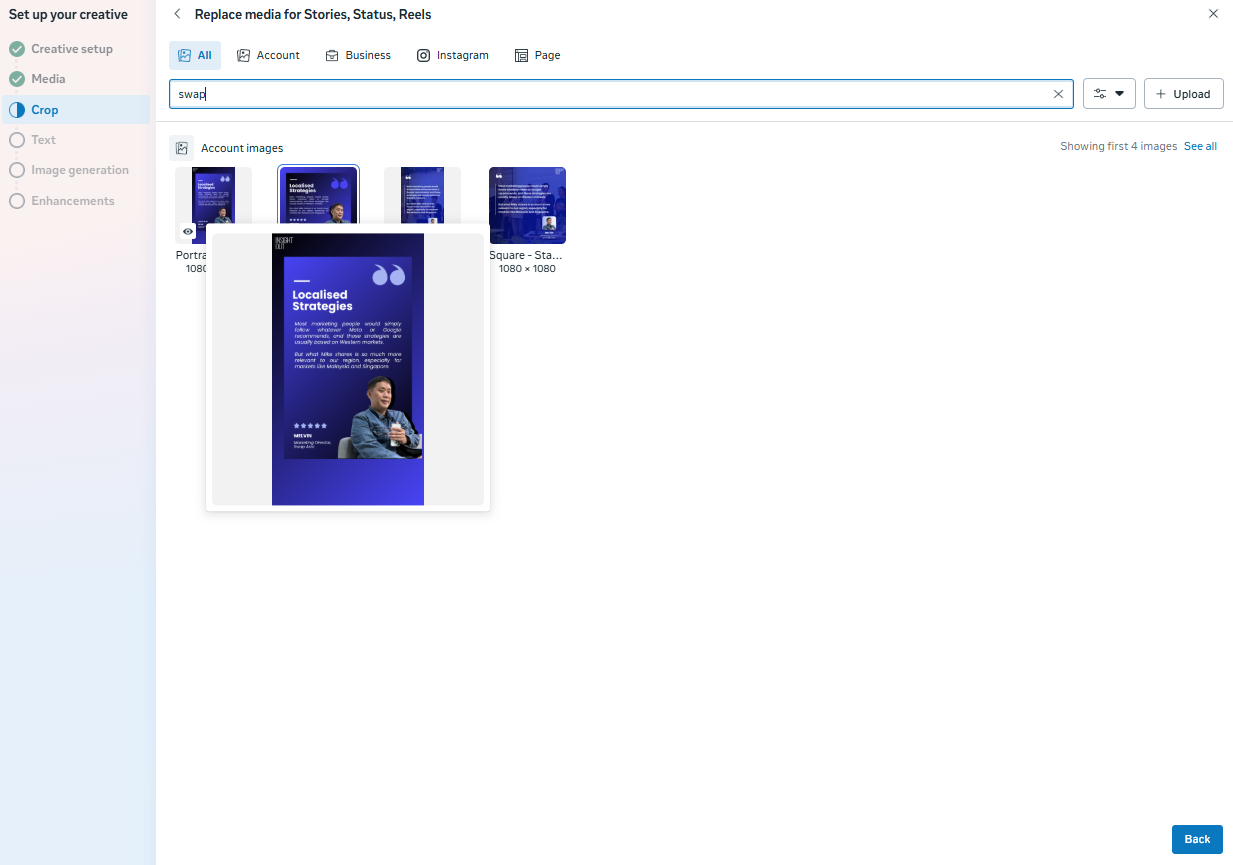
- Upload your second vertical dimension and click “back”
- Now you will have 2 different dimensions for the various placements.
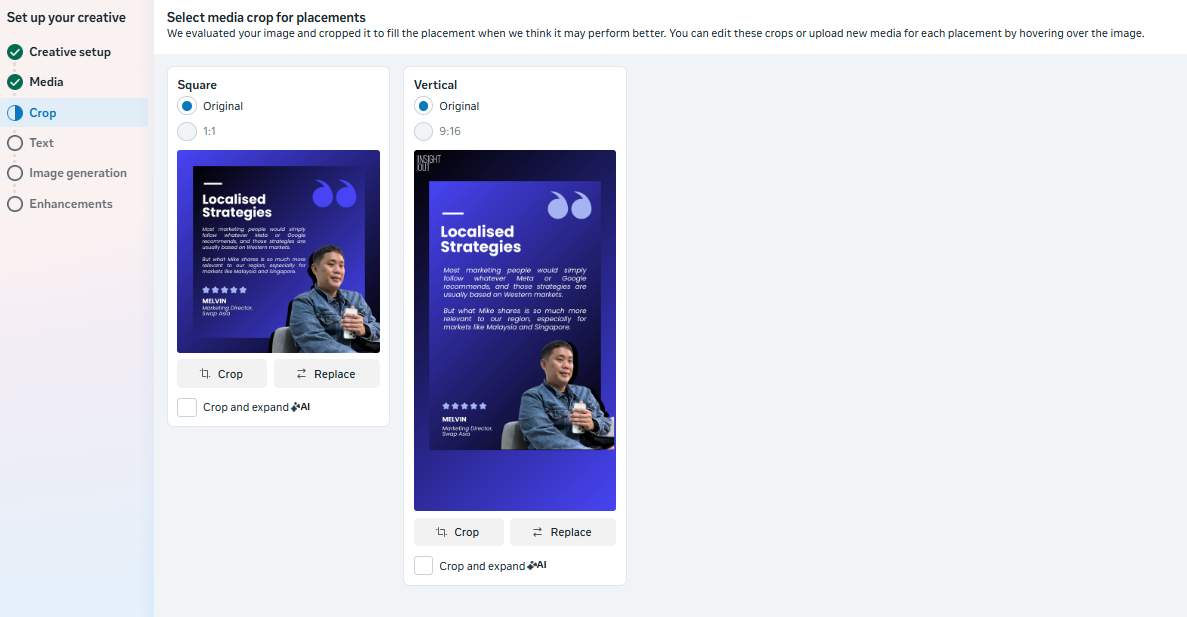
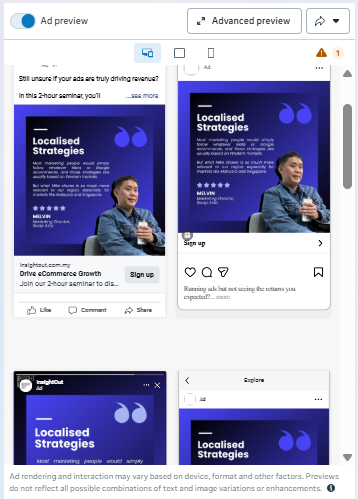
- Check Ad Previews
- Use Ad Preview in Ads Manager to see how your ads will appear across both Feed and Stories placements. This tool allows you to double-check your creatives and ensure they look great on all devices.
Conclusion
To create high-performing Meta ads, you’ll need to focus on two key dimensions: square for Feed ads and vertical for Stories & Reels ads. By following the safe guardrails for each dimension and correctly uploading these sizes into Ads Manager, you can ensure that your ads are visually compelling and optimized for the best possible user experience across both placements.
Want to know more about how to optimise your creatives? Check out my Meta Ads Creative Testing Playbook.